
Release Notes v1.24
Brief overview of the most important and largest visible changes in v1.24.
Total delivery 2)
InStock now supports holding pick and delivery of sales orders and/or lines until the entire order or line can be delivered.
This is controlled via flags on the sales order header and line in the ERP solution or ERP integration:
If you select Yes, the order cannot be picked and delivered until the ENTIRE order can be delivered.
If Yes on line (and No on header), the order line cannot be picked and delivered until the ENTIRE line can be delivered.
When creating picking lists, any orders/lines that cannot be delivered in full will be considered as shortages. Picking lines are created without a location and possibly on a separate shortage pick list. Available quantities are still reserved for these orders/lines.
When regenerating shortage pick lists, the system attempts to reserve new items for these shortage lines. When the full quantity can be reserved, the pick line is made “pickable” by specifying a location and possibly moving it away from the shortage pick list.
It is still possible to deliver the available quantity, but after a specified deadline. You may want to deliver what you can anyway, e.g. after 7 days.
Simplified picking via GTIN
Four new fields related to the barcode (GTIN) have been introduced that can streamline the picking process. Typical simplification when picking transport research (T-PAK) where you want to register picking and process one by one packaging (e.g. pallet).
These four new fields constitute different functions, which are basically dependent on each other:
Simplified picking: If simplified picking is checked for the barcode (GTIN), the pick will be registered from the pick list itself (not in the "pick registration" screen itself). The quantity registered against the barcode will be registered as picked when the barcode is scanned. The function currently assumes that there is only one pick line per product that matches the GTIN.
Create package : If create package is unchecked for barcode, a new package will be generated at the same time as registering the pick by scanning the barcode (GTIN).
Print shipping label : If the function is unchecked, a shipping label will be printed automatically after generating packages and registering picking.
Print content label : If the function is checked, the content label will be printed automatically.

Automatic creation of packages when creating a picking list
InStock can be set up to automatically create packages and pick lists. Until now, this has been an installation-dependent parameter that has been either or for the entire solution.
This can now be controlled per Warehouse:
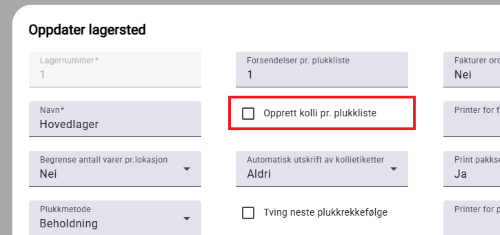
and/or Category:
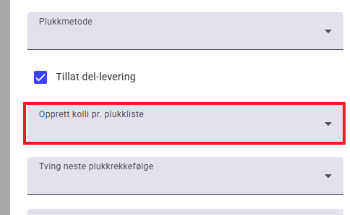
Goods receipt at optional arrival location
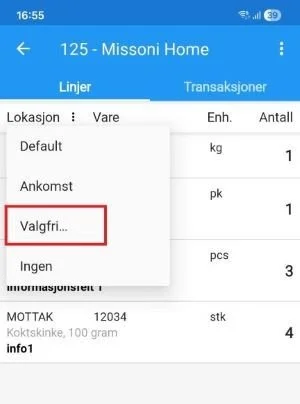
In connection with goods receipt, you can specify a fixed arrival location in InStock, so that all goods are proposed to be received at the same location in receiving, before they are then moved to racks/shelves.
It is now possible to override this arrival location for each reception.
Arrival registration
Some extensions have been made to the use of arrival registration
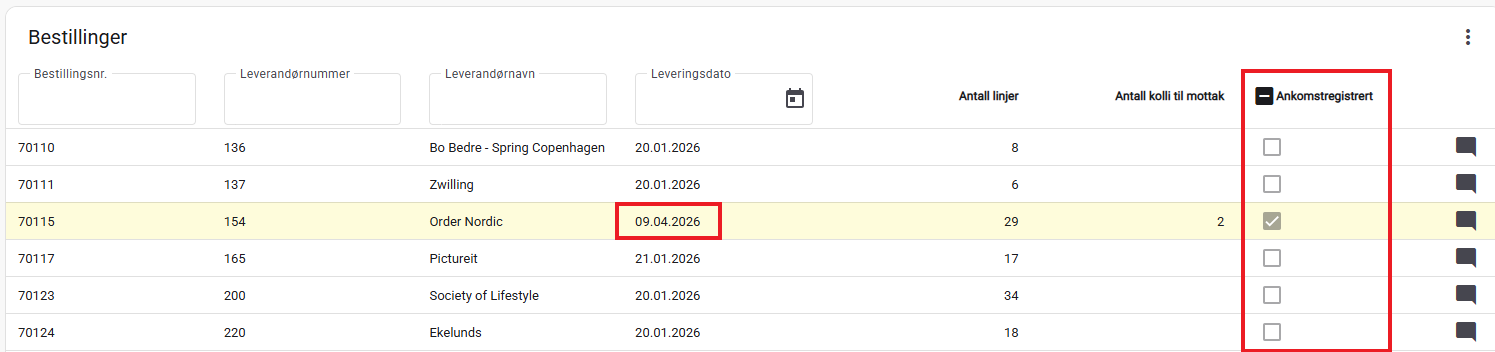
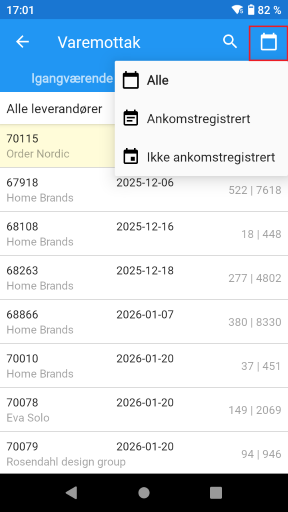
Order overviews now show the arrival registration date for orders that are arrival registered. For other orders, the expected delivery date is still displayed.
A separate column in the order overview in the portal now indicates whether the order has been registered for arrival or not. This is in addition to the existing yellow marking. It can be filtered by a new column.
In the app, when receiving goods, it is possible to filter by arrival registration so that, for example, you only see orders that have been registered as arrival.
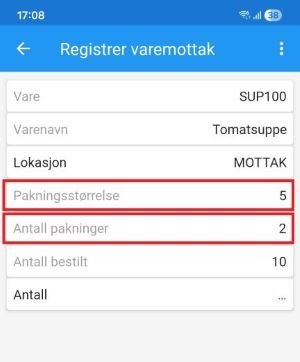
Display of packaging size and number of packages upon receipt of goods 1)
When picking, it is possible to display fields for Package size and Number of packages to pick. This option has now also been introduced for goods receipt.
See the ReceivePackageSizeVisible and ReceivePackagesVisible settings.
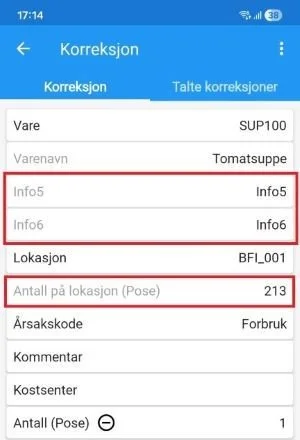
Correction 1)
When correcting inventory, it is now possible to display a little more information:
Inventory of selected item and location.
Extra information fields from item master data.
See the CorrectionShowLocationQty and CorrectionShowProductInfo settings.
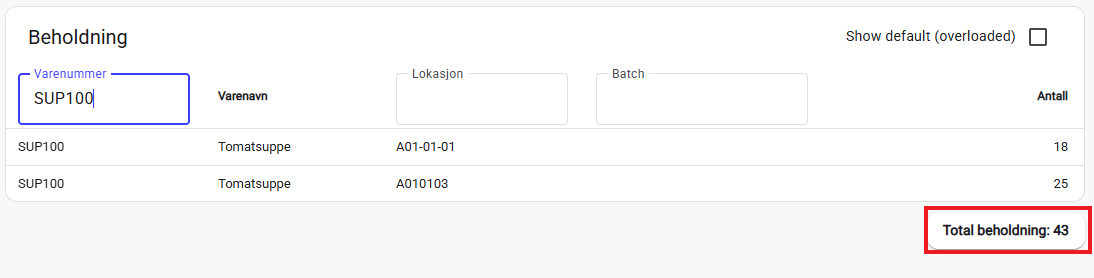
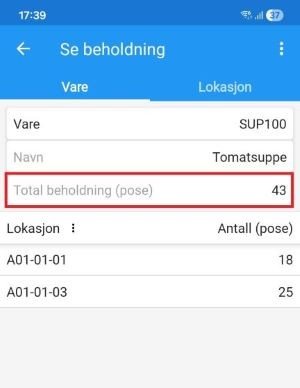
Show total inventory for item
Both in the app and portal, total inventory is now displayed when searching for inventory for an item.
New data capture feature 1)
New feature in the app that can be used to scan a barcode/QR code, send value to an external endpoint (configurable web call) and display the response.
The function can, for example, be configured to scan returned packages (SSCC), then forward this to a TMS solution, online store, etc. to confirm that the package has been registered as received.
Should be able to be used for any need where you need to scan a code and forward it to another solution. We look forward to creative uses for this feature in the future.
Variants of packing slip 1) 2)
When printing PDF packing slips generated by InStock, it is now possible to define different layouts for the packing slips. This can be controlled via an attribute on the order record.
Various other changes
Information fields from the order header can be printed on package labels.
Shipment can be closed directly via long-click from the overview in the app.
When reporting the completion of the counting list, it is the actual user who counted the inventory who is stamped as the user on the transactions - no longer the one who posted the counting list.
Footnotes:
1) Contact iSYS for configuration.
2) Not all integrations with all ERP solutions necessarily support this automatically. The functionality may require expansion and development of the integration with your ERP.