
Release Notes v1.26
A brief overview of the most important and largest visible changes in v1.26. In addition, a number of smaller functional improvements, optimizations, bug fixes and security updates have been made.
Norwegian goods in transit (NVIT)
Transfer of information about NVIT is now also supported for:
PostNord
nShift Delivery (UniFaun)
Contact iSYS if you have any questions about setting up NVIT with your TMS solution or for retrieving information from your ERP system.
App changes
Arrival registration
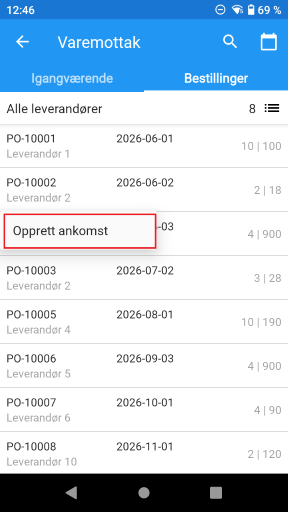
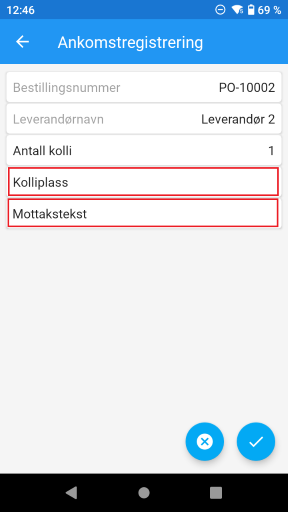
Added the option for more information when registering arrival. The dialog where you could previously enter the number of packages has now been converted to a separate screen. You can now also enter the package location for the goods and a receipt text. The receipt text will be visible along with other comments on the order.
Introduced the option to scan package locations in the order overview when receiving goods. This allows you to easily get an overview of the orders that have been registered for arrival here.
Ordering
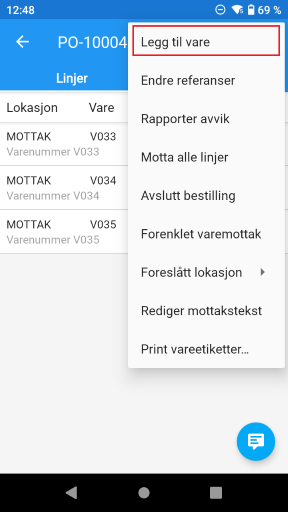
Added support for adding new items/lines to an existing order ¹ ²⁾ . New menu option bar three dots in the top right.
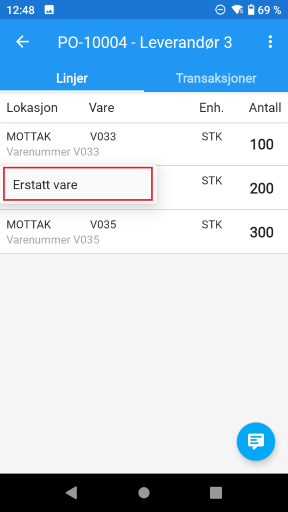
Added support for replacing an item on an order line ¹ ²⁾ . New menu option when long-clicking on an order line.
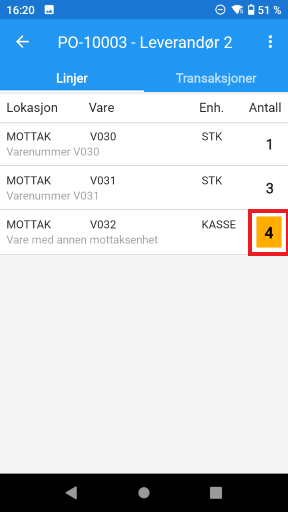
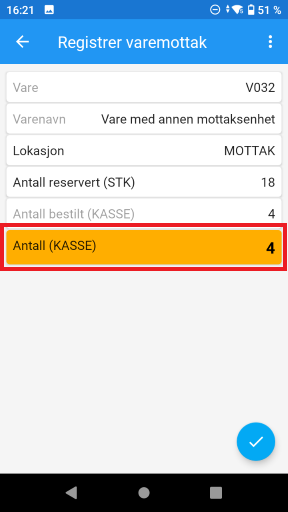
Added the ability to highlight quantities when receiving in a unit other than the stocked unit ¹⁾ . It can be easy to overlook when receiving in a unit other than the stocked unit.
Replenishment
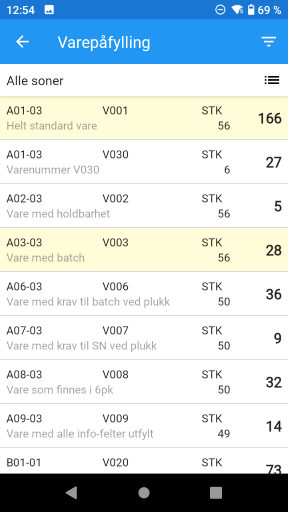
Introduced marking of refill jobs that have been started but not yet completed ¹⁾ . When a user selects a refill, it will be marked yellow until it is completed. This prevents multiple refillers from selecting the same job. If the refill is not completed within a defined period of time, it will be displayed as normal again.
Goods movement
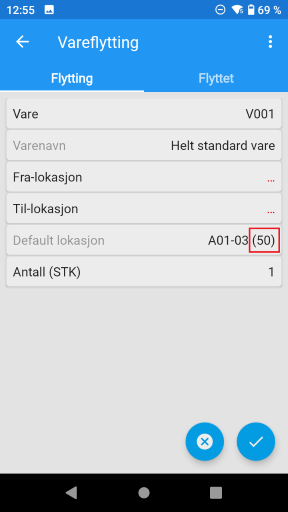
Introduced display of quantity at main location. If the main location is displayed, the inventory at this location is now also displayed in brackets.
Pick
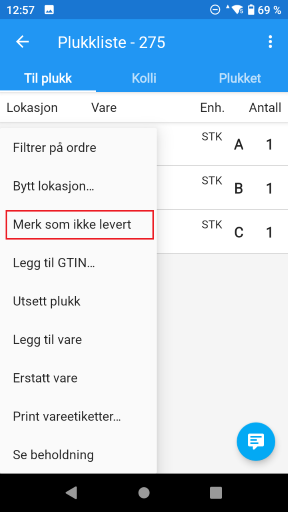
Introduced configuration ¹ whether the “Mark as undelivered” option should be available.
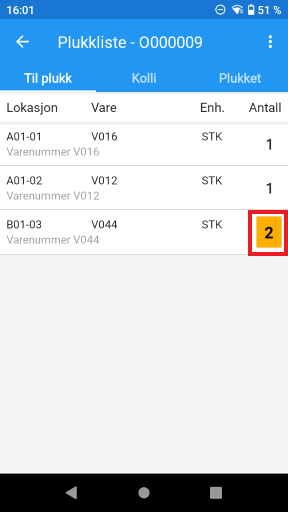
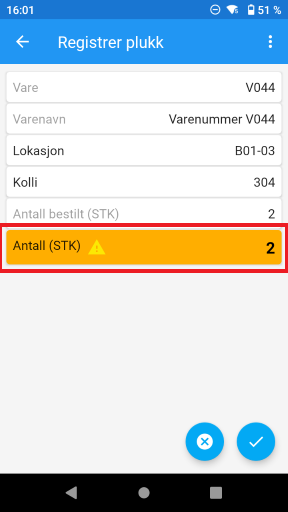
Introduced the option to highlight the quantity to pick when this deviates from the normal ¹⁾ . This can be when picking in a different unit than the stocked unit. Or if picking is normally always 1 piece per order line, lines with a quantity different from 1 can also be highlighted.
Introduced the option to automatically create packages upon first pick on a picking list ¹⁾ .
Package
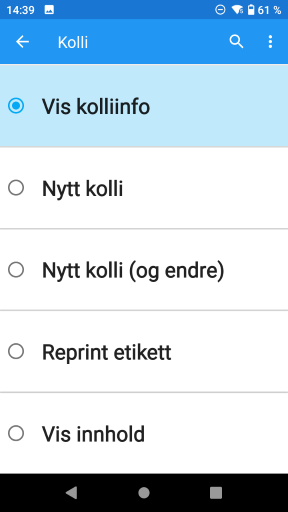
The function for Packages has been rewritten. First select which operation you want to perform. Then scan (or enter) the package on which the operation will be performed.
Show package info : Show details about the package.
New package : Take out a new identical package and print a new shipping label.
New package (and change) : Like New package , but allows you to change packages before printing.
Reprint label : Print a copy of the shipping label.
Show contents : Show contents (goods) in packages.
Shipments
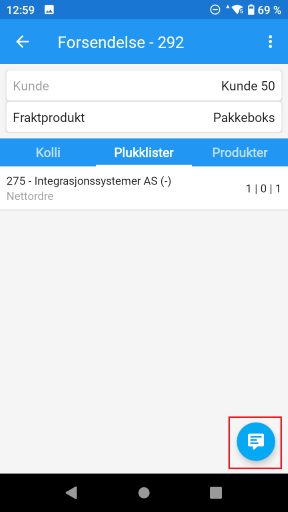
Inside a shipment, you can now see comments from the associated order/picking list.
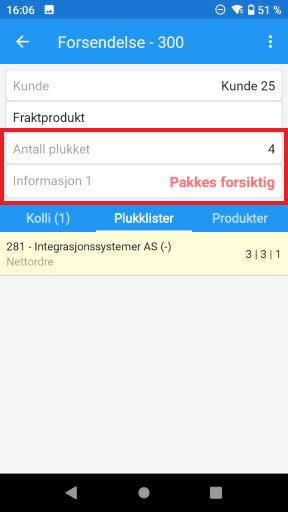
The total number of items picked can be displayed ¹⁾ . This makes it easy to see, for example, how many items are to be packed in a package.
Free information fields from the order can be displayed ¹⁾ . The screen can be set up to display one or more information fields from the order header that may be relevant for packing and shipping. The first field can also be highlighted.
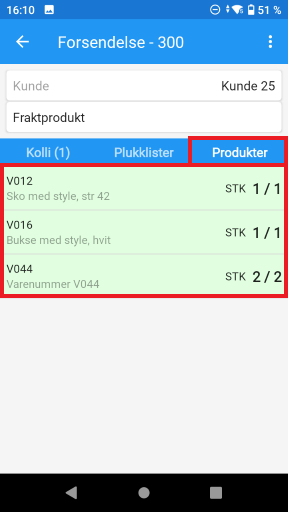
New tab where all items that have been picked and are included in the shipment are displayed.
It is now also possible to separate a shipment from a composite pick list of many orders. The new pick list will only contain this one shipment and will be assigned to you as the user for further processing.
Return
Introduced the ability to display an item's main location ¹⁾ . Similar to what can be done with item movement, correction and ad-hoc counting.
Dashboard
New feature where optional key figures can be displayed. The dashboard users have access to in the portal can now also be displayed in the app.
Printer setup
Printers are often marked with a QR code where it can be defined which labels/documents in InStock it should be linked to. Until now, such a QR code could only contain information about one printer. The new version of the QR command now supports configuring multiple printers at the same time.
Weight goods prefix
Wherever you can scan an EAN code, it is also possible to scan a “weight item prefix”. That is, an EAN code that contains the specific weight of an individual. For example, the weight of the specific cheese or steak you pick from the refrigerated counter at your local grocery store.
Portal changes
The design of the portal has been changed somewhat. This is with the aim of making it a little more compact and being able to show a little more data in the overviews.
Inventory
Introduced support for configurable columns like most dashboards.

Transactions
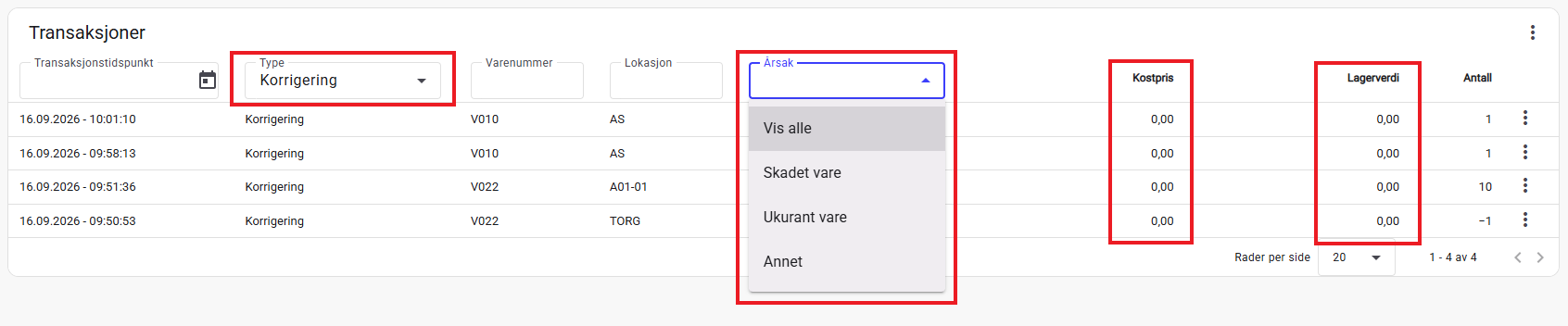
Introduced new columns for Cost Price (for the item) and Inventory Value (for the transaction).
Added filtering on Reason. This is possible if you first select Type equal to Count or Correction.
Order
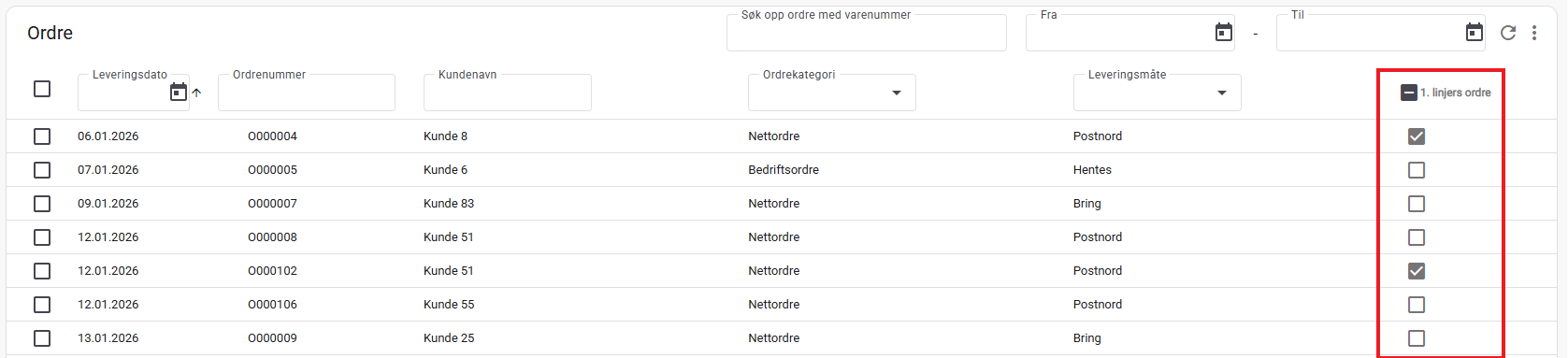
New column introduced for “1st line” (orders with one line and 1 item). This allows you to get an overview of these and, for example, in combination with a filter on item number, easily create one picking list where the same item is to be picked for many customers.
Picking lists
Added support for filtering by item number. Pick lists containing the item will be displayed.
Added support for deleting multiple pick lists in one operation.
Added support for merging multiple pick lists into one.

Transfers to ERP
Added support for selecting multiple jobs to be processed simultaneously in one operation.

Footnotes:
1) Contact iSYS for configuration.
2) Not all integrations with all ERP solutions necessarily support this automatically. The functionality may require expansion and development of the integration with your ERP.
